Hercules Settings
Hercules provides a settings menu where you get to select parameters that determine how the program and its tools behave.
To open Settings, do any of these:
Click the Settings icon on the toolbar.
Go through Tools > Settings.
General

Startup
If you want Hercules to open the last database when the program starts, tick the Load last database on startup checkbox.
Export
If you want Hercules to open the spreadsheet immediately after the export operation, tick Open spreadsheet after export checkbox.
The changes become effective immediately.
Appearance
To change Hercules’ visual theme, click the drop-down menu and then select your preferred theme.
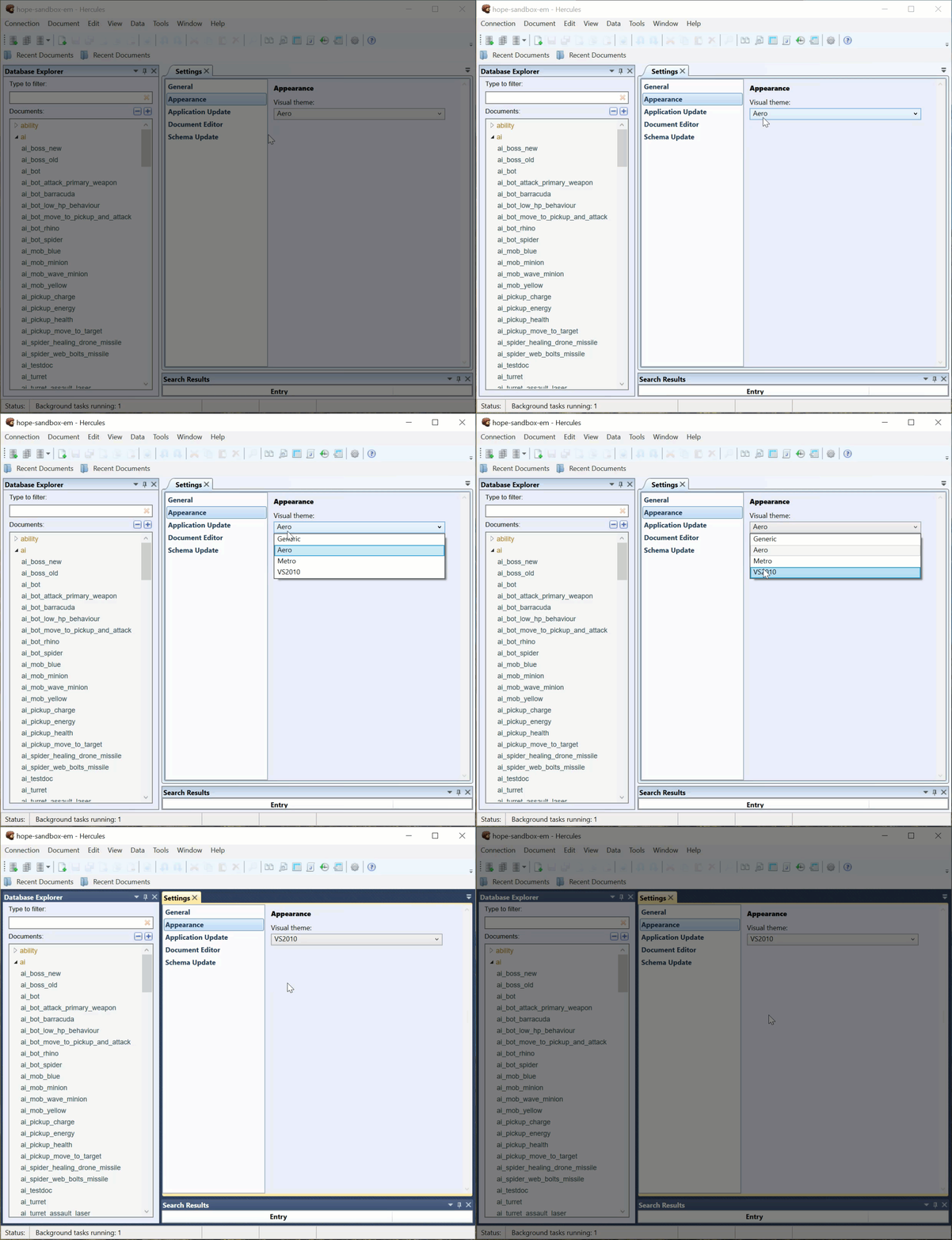
The changes become effective immediately.
Application Update
Checking for updates
If you want Hercules to check for updates automatically every time you open the program, tick the Check for application updates on launch checkbox.
Update channel
To change the update channel, click the drop-down menu and then select your preferred update channel.
Stable: This is the default channel. We strongly recommend you to select Stable unless you have reasons to use another channel.
Beta: If you want to test new features, select this channel.
Development: This is a special channel for developers.
Instant Check For Updates
To force Hercules to check for updates right now, click the Check for updates now button.
Document Editor
Documents Opening Behavior
Expand root elements: If you want Hercules to automatically expand nested elements when it opens a document, select this option.
Expand elements recursively: If you want Hercules to automatically expand all elements (nested elements, the nested elements inside nested elements, etc.) when it opens a document, select this option.
Do not expand: If you do not want Hercules to expand nested elements when it opens a document, select this option.
Documents Creation Behavior
Expand root elements.
Expand elements recursively.
Do not expand.
Field Name Alignment Position
Select your preferred position (Left or Right) for field names in Hercules.
Max Nested Value Offset
Type in a value that determines the maximum number of characters.
Number Editor
If you always want to see the spin buttons that allow you to increase and decrease the number in a field by specific amounts, tick the Show spinner buttons checkbox.
You can also select your preferred position (Left or Right) for numeric values alignment.
Enumeration Editor
If you want Hercules to display entries on the lists in alphabetical order, tick the Sort options alphabetically checkbox.